Start with the risk.
Choose checks that answer a useful question, rather than adding assertions for their own sake.
 qualityengineering lab
AN INTERACTIVE QUALITY ENGINEERING PORTFOLIO
Don’t just read about testing.
See what it catches.
Explore working demonstrations, investigate the evidence, and discover the engineering decisions behind reliable software.
01 / FIND YOUR STARTING POINT
Choose a topic. Understand the problem.
Explore the evidence.
Compare an approved UI with an intentional styling change. Explore what failed, why, and how the evidence helps.
Choose checks that answer a useful question, rather than adding assertions for their own sake.
Make state, environment, and assumptions explicit so a failure is worth investigating.
Give the next person screenshots, traces, and enough context to understand what happened.
Focus areas describe my practice. Only projects marked “Interactive demo” are available to explore today.
02 / STEP INSIDE THE DEMO
A real recorded result.
A small interaction to help explain it.
Catch what functional tests can miss.
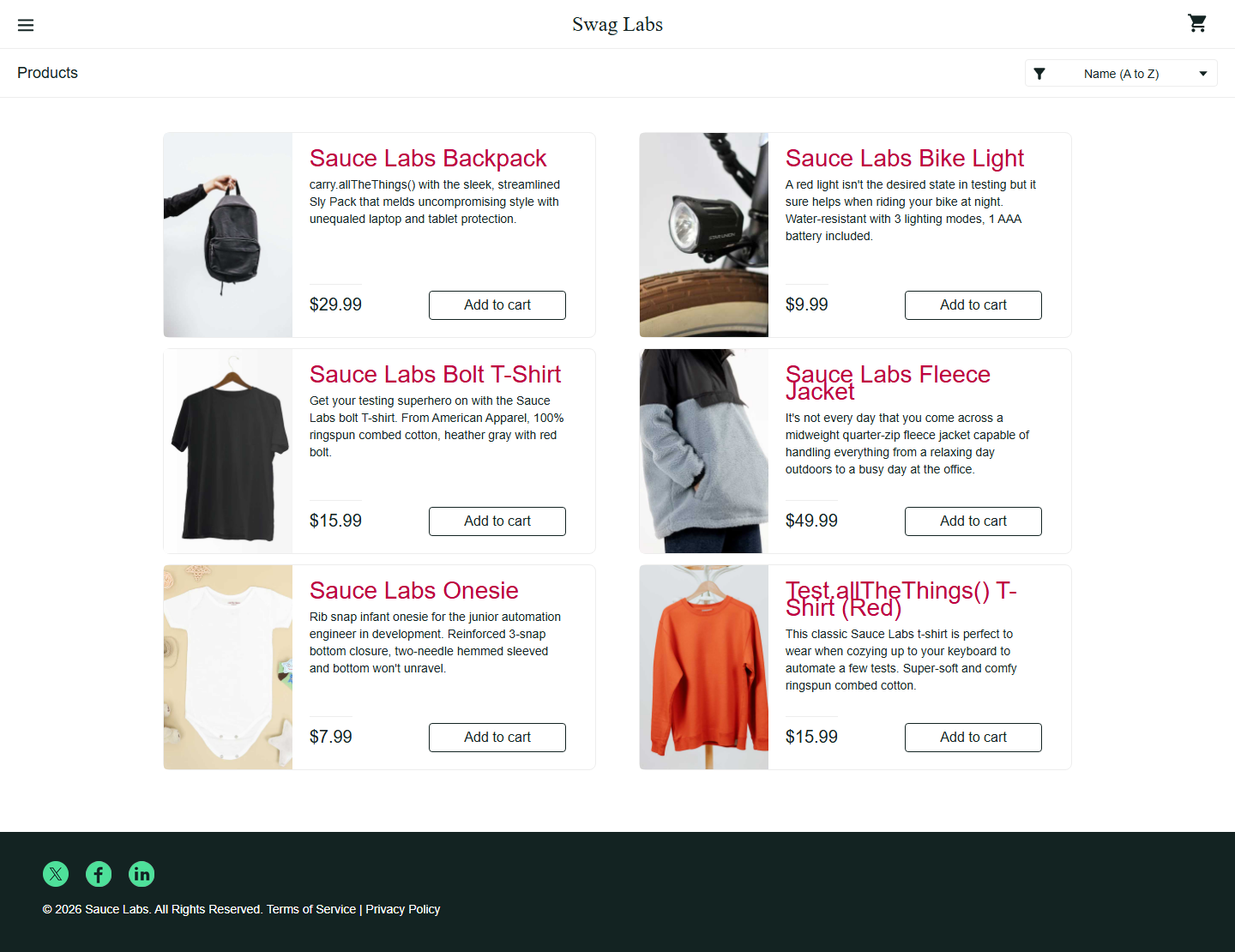
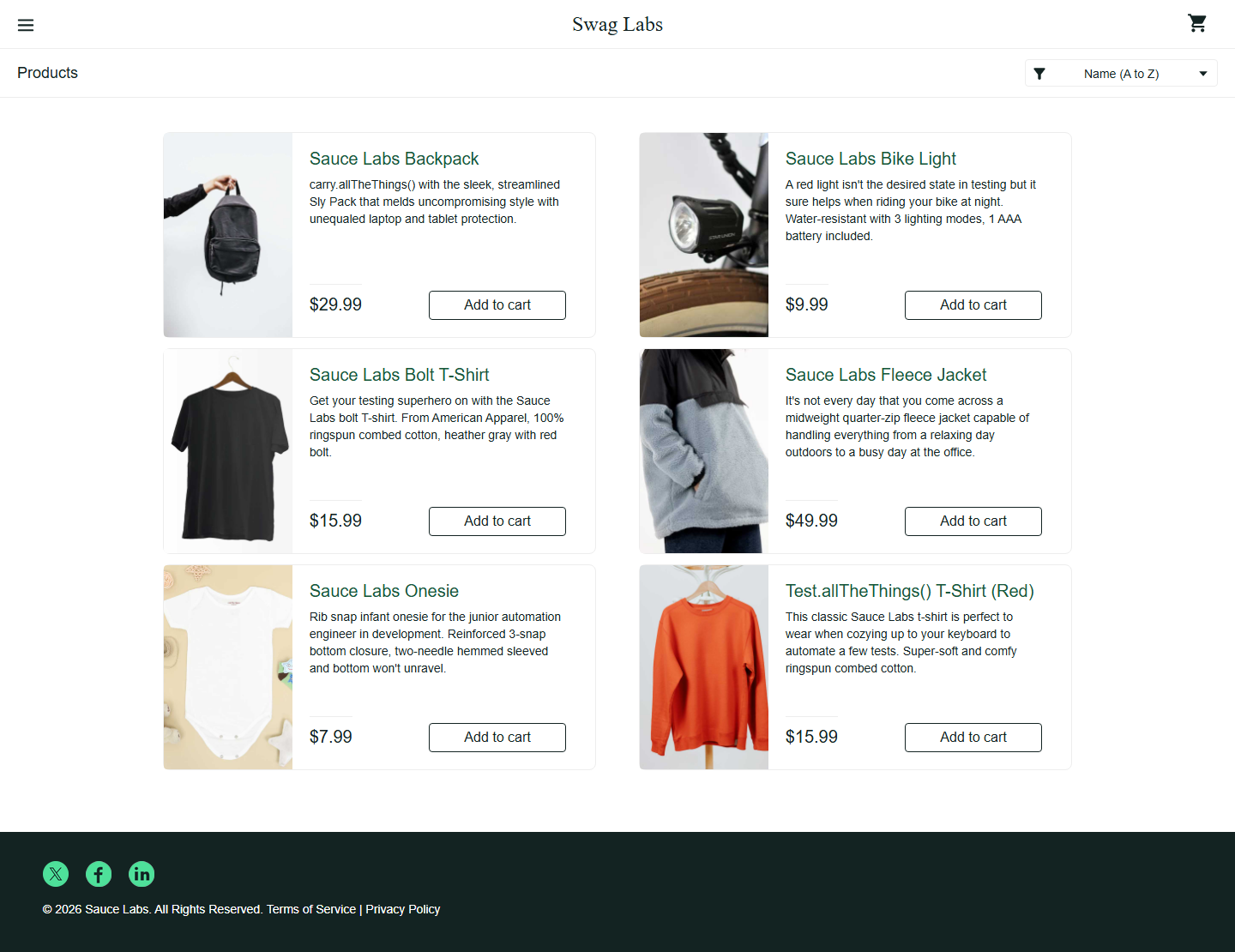
A shopping flow still works—but its product titles have changed. Compare the approved UI with an intentional regression and inspect the result.
Recorded local results. This demo explores captured evidence; it doesn’t execute tests in your browser.
03 / FROM DETECTION TO DECISION
Check the state. Compare the UI.
Give the team a clear next action.
Playwright connects the failing assertion to the test steps and visual evidence, so the team can investigate with context.
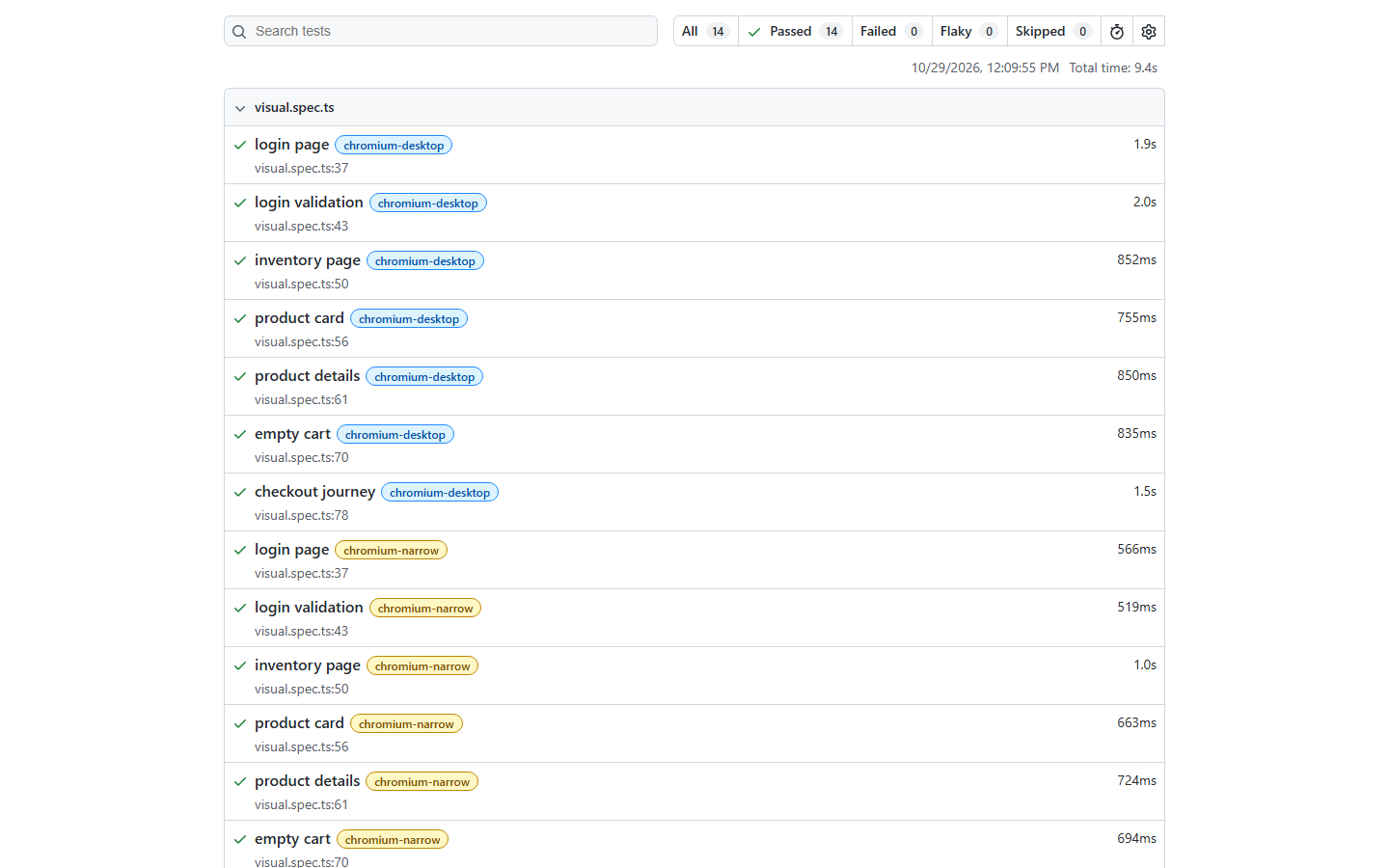
Browse the actual native HTML report: filter results, inspect steps, and explore both viewport projects.
Open native Playwright report ↗Native passing report included. Failure view is a captured report. Full source and raw traces are not included in this public upload.
A lightweight framework around Playwright’s native runner and screenshot assertions.
Click a gate to see a representative assertion from the suite.
await expect(page.getByTestId('inventory-list')).toBeVisible();Stops a screenshot check from evaluating the wrong screen or an incomplete journey.
Configured for push, pull request, and manual workflow runs in GitHub Actions.
Watch state, content, and visual checks turn a code change into a clear pass/fail signal.
Select an outcome, then press Play flow.*Illustrates merge gating when branch protection requires this workflow.
Select an outcome and replay the workflow.
Investigate → fix or review an intended change → commit → re-run.
Baseline updates require human review. Failed test commands return a non-zero exit code; artifact upload runs even after a failure.
The checked hosted run completed with 10 passed and 4 visual failures; report artifacts uploaded successfully. This is an observed run, not a live status badge.
View the checked workflow run ↗Make the visual workflow a required status check in branch protection. Without that repository setting, a failed check reports risk but does not itself prevent a merge.
04 / THE THINKING BEHIND THE TESTS
My work spans test automation, web and API quality, and AI-assisted engineering. This lab makes those ideas tangible through small, focused demonstrations.
Each case study connects a testing decision to its outcome. The goal is to make quality easier to inspect, discuss, and improve.
KEEP THE CONVERSATION GOING
Interested in the work, the process, or what comes next?